Walking into a hall at the NEC with thousands of other education professionals can feel overwhelming. Every stand has a clever demo, and every pitch promises a fresh idea. By lunchtime, it’s difficult to remember what you came to find out.
A little preparation makes the day far more useful for your school or trust, and it helps every colleague who attends return with the same clear picture.
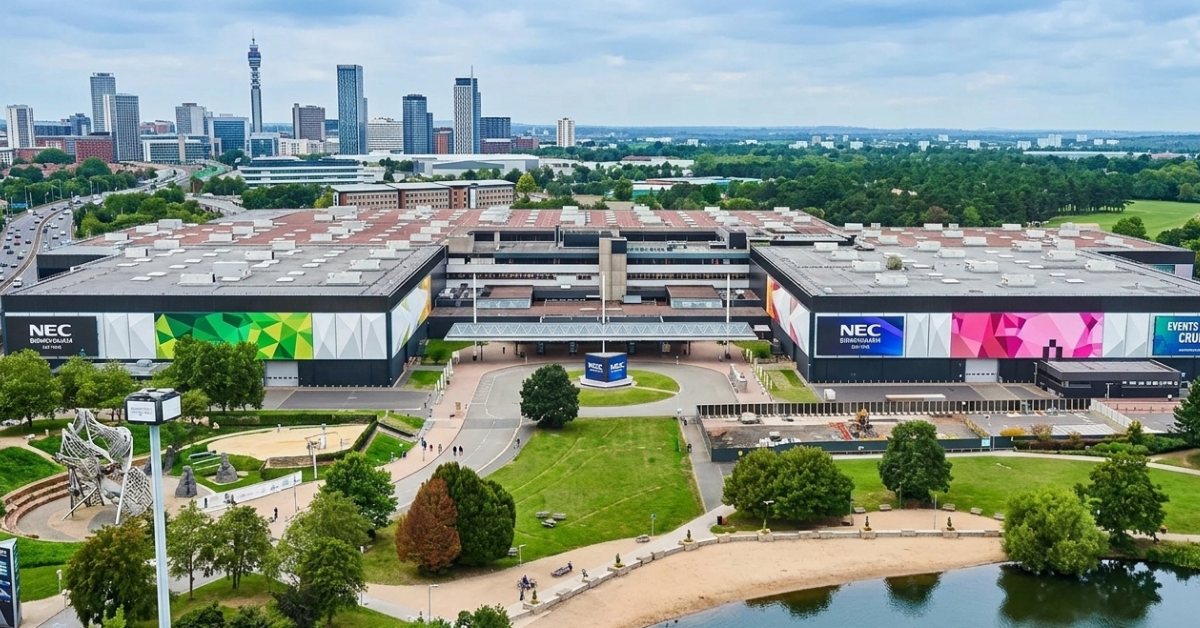
The Schools & Academies Show (SAAS) takes place at the NEC Birmingham on 18th and 19th November 2026. This guide covers the questions worth carrying with you and the outcomes worth chasing. It also shows what we’ll have on stand C18.
What to Know Before You Go
The Schools & Academies Show brings school and trust leaders together for CPD and networking. Doors are open between 9am and 4.30pm on both days, and attendance is free for schools and academies. The show runs alongside an EdTech Summit and a SEND Conference, so there’s plenty to build your day around. Register ahead of time and put the sessions you want into your diary.
The show can also be a beneficial place to compare approaches. Hearing how other schools and trusts handle the same decisions helps you spot which ideas will fit your own context, and the networking areas give you a chance to ask peers what worked for them.
Five Questions to Carry Around the Hall
Keep these on your phone. They work on every stand and cut through a polished demo quickly.
- What will this give my teachers back this week? A good answer comes with a real classroom example, such as marking or lesson planning.
- What’s inside the Microsoft 365 licence we pay for today? Copilot Chat comes with Microsoft 365 at no extra cost, so a first step needn’t involve a new purchase.
- Where are the guardrails? Ask who has thought through safeguarding and permissions before any AI tool reaches a classroom.
- What training comes with it? Staff confidence decides whether a tool stays in use after the demo ends.
- How will we know it worked? Ask what a school can measure after one term.
These questions matter because practice is moving faster than policy. The National Education Union’s State of Education 2026 survey, which gathered views from more than 9,000 teachers, found that 49 per cent say their school has no policy whatsoever on AI for staff or students. With no policy to measure tools against, the guardrails question carries extra weight.
Training deserves the same attention. A YouGov survey of 1,033 UK teachers for Bett found that weekly AI use has doubled in a year, yet only 35 per cent of teachers using AI say they’re working fewer hours. Use is growing quickly, and the benefit depends on how well staff are supported.
What to Take Home for the Digital School of the Future
The digital school of the future gets built on decisions made this year, so make sure of these four things before you head home:
- You understand what’s inside your Microsoft 365 licence and which features sit switched off today.
- You have a draft position on AI use for staff and students that you can take to your governors.
- You’ve found a training approach that fits around the school day and builds staff confidence.
- You’ve picked up one practical technique a teacher can try the following Monday.
Bring a colleague from a different role if you can. A teacher and a network manager hear the same pitch in very different ways, so comparing notes on the journey home sharpens every decision.
How to Use the Day in Your Role
You’re the person who’ll carry these decisions back to your school or trust, so use each conversation on the hall floor to gather evidence for the choices ahead of you:
- Licensing and cost: Ask every supplier to show what your current Microsoft 365 licence includes and what an upgrade would add. A good answer covers the full cost over the next few years, so you can weigh it against your budget with confidence.
- Security and permissions: Ask how devices are managed and how permissions are checked before Copilot goes live. The answer tells you whether the supplier has thought about which files an AI tool can surface.
- Safeguarding and policy: Ask how the supplier would support your draft AI position for governors. Find out who owns the safeguarding checks once a tool reaches the classroom.
- Training and adoption: Ask what training comes with the tool and how it fits around the school day. Staff confidence decides whether a rollout stays in use after the first term.
Ask to see one real lesson or marking task as well. Your teachers will judge any tool on that experience, and it gives you something concrete to share with them when you get back.
What We’re Showcasing on Stand C18
Our team includes former teachers, and we hold preferred partner status with Microsoft. We’re also one of a limited number of UK partners with Microsoft’s Change Management and User Adoption competency, so training sits at the centre of everything we do. Here’s what you’ll find on the stand:
- Empower: We’ll share practical Copilot ideas for teachers, such as first-draft marking and lesson planning, so you can leave with one technique to try that week.
- Enable: We’ll walk you through your Microsoft 365 licence, including Copilot Chat, and show you how to switch it on properly.
- Secure foundations: Multi-factor authentication and correct SharePoint permissions control who signs in and which files Copilot can surface, so guardrails sit in place before it reaches a classroom.
- Elevate: We’ll hold honest conversations with school and trust leaders about AI readiness and about balancing budget pressure with safeguarding responsibility.
We back this with experience across schools of every size. We’ve worked with single academies taking their first steps with Microsoft 365 and with trusts managing dozens of schools, so we understand what a rollout looks like at each scale. Bring your toughest Copilot question and tell us what a Tuesday afternoon looks like in your school.
Come and Meet the Team on Stand C18
Come and meet the team on stand C18 at the NEC Birmingham on 18th and 19th November, and bring your questions about AI, Microsoft 365 and the future of education in your school or trust. We’ll help you work through them with practical answers, and our team will be on hand both days.
Visit our education page to see how we support schools and trusts, and register for your free pass before you travel. Every classroom deserves AI it can trust, and we’d love to help you get there.
FAQs
- What is the Schools & Academies Show?
The Schools & Academies Show (SAAS) is an education event for school and trust leaders that combines CPD and supplier stands. The Birmingham event is a two-day show held at the NEC. - When and where is SAAS 2026 in Birmingham?
SAAS 2026 takes place at the NEC Birmingham on 18th and 19th November. Doors are open between 9am and 4.30pm on both days. - Is the Schools & Academies Show free to attend?
Yes, registration is free for schools and academies. You can register ahead of the day to save time on arrival. - How can schools prepare for AI in the classroom?
Start with a draft AI policy for staff and students, then check what your Microsoft 365 licence includes today. Add staff training that fits around the school day so confidence grows alongside use. - What will AspiraCloud be showcasing at SAAS 2026?
On stand C18 we’ll share practical Copilot ideas for teachers, walk through Microsoft 365 licences, explain secure foundations and hold strategy conversations with school and trust leaders.